"How's the building fund going?"
It sounds like an easy question. At most of the organizations we talk to, answering it properly means opening a pledge spreadsheet, a donations export, the bank statement and a folder of contractor invoices, then doing arithmetic in a meeting. By the time you've worked out what's been promised, what's come in and what's already been spent, the conversation has moved on.
The problem isn't that people are disorganized. It's that the information lives in different tools that were never meant to talk to each other. So when we designed DonorLog, we made the campaign the thing everything else attaches to.
What's on the page
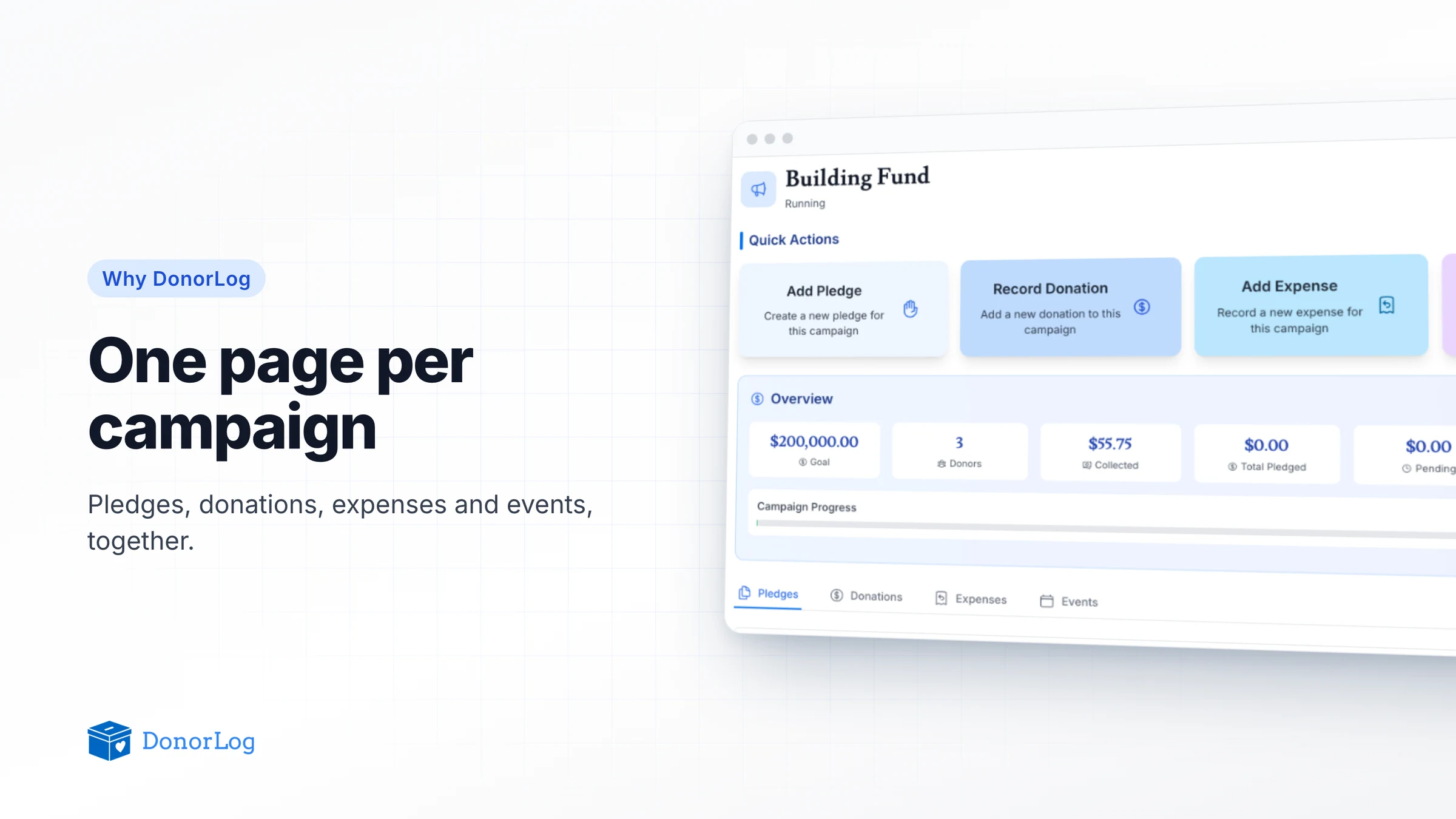
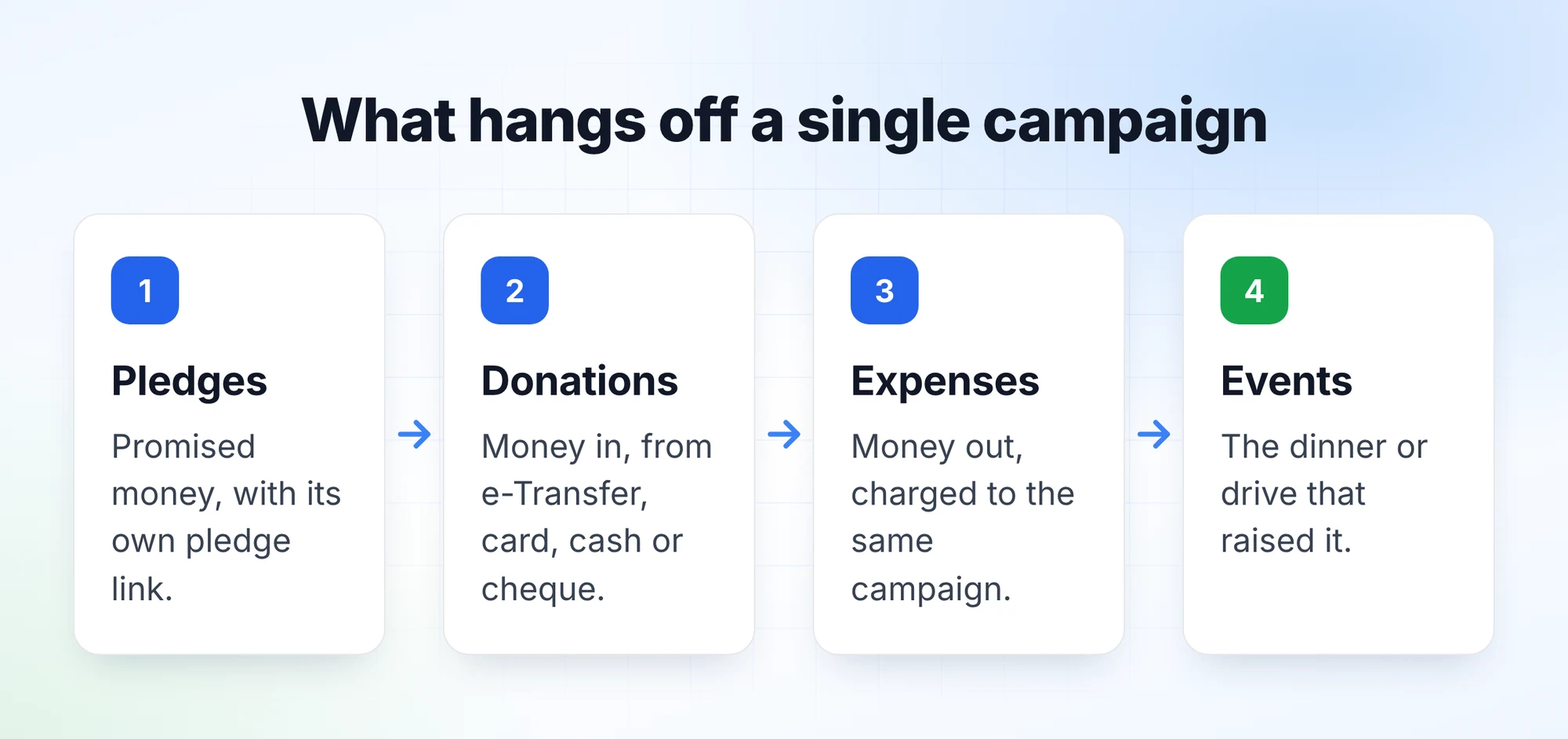
Open any campaign under Campaigns and you get one screen for it. Across the top are four quick actions: add a pledge, record a donation, add an expense, schedule an event. Each one creates the record already linked to this campaign, so nobody has to remember to pick the right fund from a dropdown later.
Under that is the overview: the goal, how many donors have given, how much has been collected, the total pledged, what's still pending, and how much has been spent, with a progress bar against the goal.
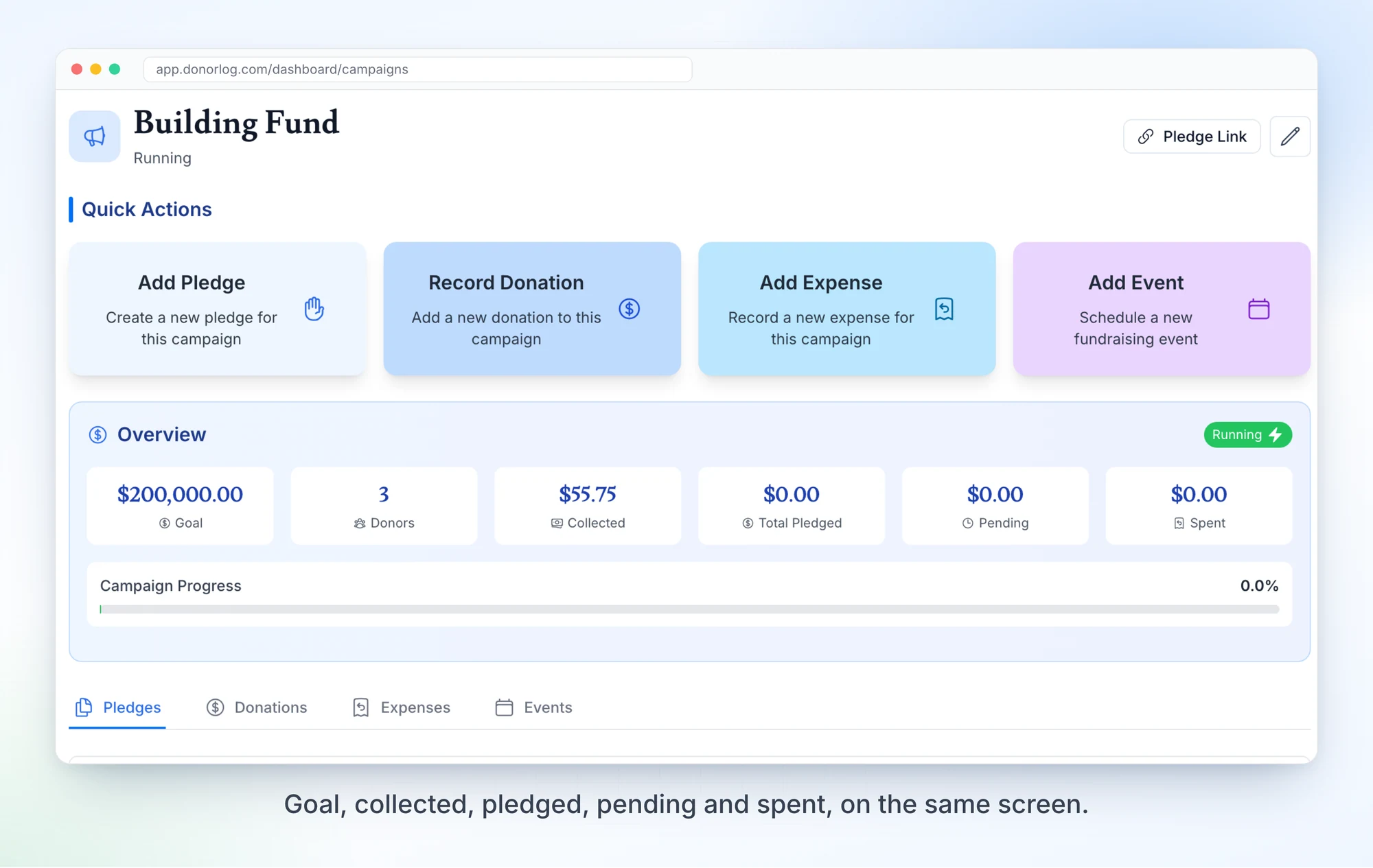
Below that are tabs for the campaign's pledges, donations, expenses and events. The campaign's pledge link sits in the top corner, so the person running the campaign can share it without going looking.
Why the connections matter
Putting four lists on one page is the easy part. What makes it useful is that they're the same records you work with everywhere else.
When an e-Transfer comes in and you match it to a donor and a campaign, it shows up here as collected. When a pledge payment is recorded, the pending number drops. When the treasurer logs the contractor's invoice against the campaign, spent goes up. At year end, the donations on this page are the ones that go on tax receipts. Nobody re-enters anything to keep the campaign view current.
It works the other way too. A donor's profile shows their giving broken down by campaign, and the reports can slice everything by campaign, branch and payment type. The treasurer of Impact centre chrétien, which has thousands of donors across several branches, told us that being able to slice their data by branch, donation category and payment type gave them much better visibility into their donations.
Why expenses live here too
Accounting software already does expenses, and we're not trying to replace your bookkeeper. But the question donors and boards actually ask is what their money paid for, and you can only answer that if money in and money out are tied to the same campaign.
So in DonorLog every expense belongs to a campaign. It's a required field, not an optional tag. Alongside it you record the name, amount, date, category, and optionally the vendor, who paid, and a photo of the receipt. That's enough to tell the story of a campaign without turning DonorLog into a general ledger.
Things to know
Deleting a campaign hides its donations, pledges and expenses along with it, all in one step, so you won't find orphaned donations floating around without a campaign. The records are kept in the database rather than erased, but there's no restore button in the app yet, so delete with care.
Try it on your next campaign
Next time you start a fundraising push, create the campaign first and use the quick actions on its page for everything that follows. Then at the next board meeting, open that page instead of the spreadsheets and see how long the building fund question takes.